 salehunter.net
 If you have been paying attention to your monthly bank statements lately, you have probably noticed that the streaming revolution did not exactly save us from the dreaded cable bill. In fact, if you subscribe to several on-demand platforms and a premium live TV streaming service, you might actually be paying more than you did a decade ago. Enter Sling TV. As one of the original pioneers of the live TV streaming market, Sling has always positioned itself as the budget-friendly alternative for cord-cutters. But even with its notoriously low base prices, paying full retail is a rookie mistake.
Finding a reliable Sling TV discount isn’t just about waiting for a Black Friday sale; it is about understanding the platform’s unique pricing structure, leveraging promotional device deals, and utilizing lesser-known digital workarounds to consistently shave dollars off your monthly bill. Whether you are a die-hard sports fan trying to catch Monday Night Football without taking out a second mortgage, or a reality TV junkie needing your Bravo fix, this guide will show you exactly how to hack the system and lock in the absolute lowest price for your live streaming needs.
Understanding the Foundation: Orange, Blue, and the Power of Choice
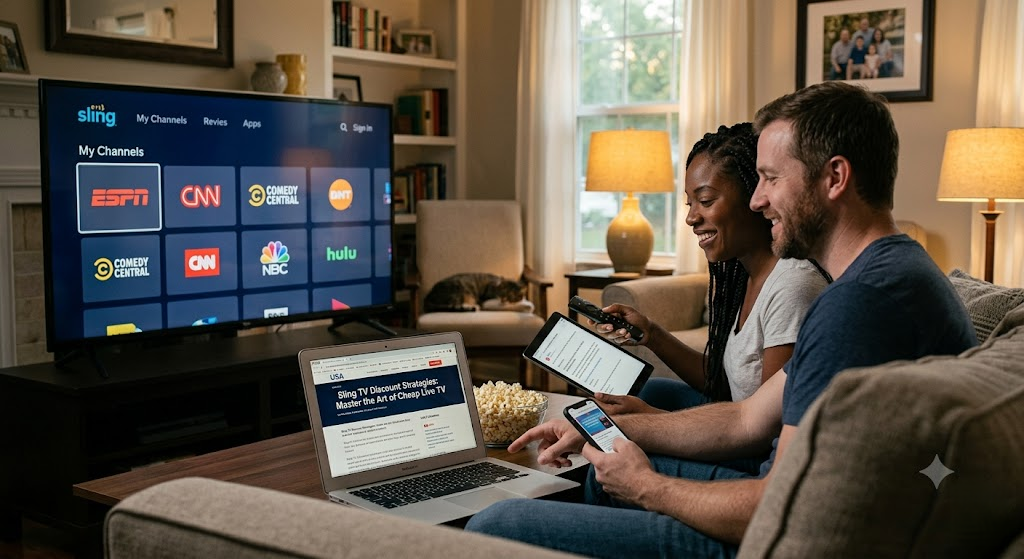
Before you can start applying discounts, you need to understand how Sling TV’s pricing model actually works. Unlike competitors such as YouTube TV or Hulu + Live TV, which force you into a single, massive package costing upwards of $70 to $80 a month, Sling operates on an a la carte foundation. The service is split into two primary base packages:
- Sling Orange: Designed primarily for sports fans and families. For $40 a month, you get around 32 channels, heavily anchored by the ESPN suite (ESPN, ESPN2, ESPN3) and Disney Channel. The major caveat? Sling Orange is strictly a single-stream service. You can only watch it on one device at a time.
- Sling Blue: Tailored for news junkies and entertainment lovers. Also priced at $40 a month, this package offers roughly 40 channels, including Fox News, MSNBC, Bravo, TLC, and regional NBC/Fox broadcasts in select markets. It also features NFL Network. Unlike Orange, Blue allows for three simultaneous streams.
The first and most fundamental “discount” you can give yourself is to resist the urge to buy the Sling Orange + Blue combo package (which costs $55 a month) unless you absolutely need it. By taking a hard look at your actual viewing habits and selecting only one base package, you instantly save $180 a year compared to the bundled option, and over $400 a year compared to premium competitors.
The Best Active Sling TV Discount Offers
Sling TV is aggressively trying to capture market share, which means they are almost always running a lucrative sign-up promotion for new users. While these offers rotate depending on the season, here are the most common and valuable discounts you can leverage.
The 50% Off Your First Month Promo
This is Sling TV’s bread-and-butter discount. Almost year-round, Sling offers new subscribers 50% off their first month of service. This brings the cost of either the Orange or Blue package down to an incredibly low $20 for your first 30 days. If you opt for the Orange + Blue combo, you will pay just $27.50 for the first month.
Pro-Tip: If you are planning to host a watch party for a specific event—like the Super Bowl, the NBA Finals, or the premiere of a highly anticipated show—time your sign-up to utilize this 50% discount. You can watch your event for half the price and cancel before the month is over.
Prepay Deals: Getting Free Hardware
If you are fully committed to cutting the cord, Sling TV’s prepay deals offer some of the highest value in the streaming industry. Instead of just discounting the monthly rate, Sling regularly partners with hardware manufacturers to give away free streaming devices when you pay for two or three months of service in advance.
Common prepay hardware bundles include:
- Free Roku Express 4K or Chromecast with Google TV: By prepaying for two months of Sling TV (an $80 commitment), you often receive a top-tier streaming dongle absolutely free. Considering these devices retail for around $40 to $50, you are essentially getting a month of TV for free.
- The AirTV Mini Bundle: Sling frequently offers its own proprietary streaming stick, the AirTV Mini, for free with a two-month prepay. This device is optimized specifically for the Sling interface, making it perfect for older users who miss the traditional cable box experience.
The Ultimate Hack: Free Local Channels with AirTV Anywhere
One of the main reasons people hesitate to switch to Sling TV is the lack of local broadcast networks (ABC, CBS, Fox, NBC) in many markets. Upgrading to a service like YouTube TV just to get local news and NFL games defeats the purpose of budget streaming.
Sling’s ingenious solution—and one of the best long-term money-saving strategies—is the AirTV integration. AirTV is a separate device that connects to a standard HD OTA (Over-The-Air) digital antenna. It takes the free, high-definition broadcast signals from your local networks and beams them directly into your Sling TV app via your home Wi-Fi.
Sling regularly runs a massive discount on this hardware. If you prepay for three months of Sling TV, you can often get an AirTV Anywhere device and an HD antenna for a fraction of their retail cost (sometimes bundled for less than $99, down from a $200+ retail value). Once set up, your local channels appear seamlessly inside the Sling TV guide. You get all your local broadcast networks entirely for free, forever, bypassing the massive retransmission fees that other streaming platforms pass on to their customers.
Lesser-Known Strategies to Save Even More
If you have already exhausted the new subscriber promos, don’t worry. There are several under-the-radar methods to continually lower your Sling TV bill, even as an existing customer.
1. Gift Card Arbitrage
You do not have to pay for Sling TV with your credit card directly through their billing portal. Sling TV allows you to pay for your subscription using prepaid Sling gift cards. This opens the door to gift card arbitrage.
Websites like Raise, CardCash, and even eBay frequently sell unwanted Sling TV gift cards at a 5% to 15% discount. Furthermore, if you have a Target RedCard, you get a flat 5% off all gift card purchases in-store or online. By buying a $100 Sling TV gift card for $95 at Target, you are instantly creating a permanent 5% discount on your monthly bill.
2. Capitalizing on Credit Card Cash Back Offers
Always check the “Offers” section of your credit card portals, particularly if you use American Express, Chase, or Bank of America. These banks frequently partner with Sling TV to offer statement credits. A common example is an Amex Offer that grants a $10 statement credit when you spend $40 or more on Sling TV. By activating this offer and using that specific card to pay your bill, you effectively reduce a standard $40 subscription to $30 for that billing cycle.
3. The “Cancel and Wait” Win-Back Strategy
Streaming services are terrified of churn (the rate at which customers cancel). Because there are no contracts, users can leave at any time. You can use this to your advantage. If you cancel your Sling TV subscription, you will almost immediately be placed into their retention email marketing sequence.
Within a few days to a couple of weeks of canceling, it is highly likely that Sling will email you a “win-back” offer. These exclusive, targeted discounts often include deals like “$10 off your next month” or a return of the “50% off for a month” promo just to get your credit card active in their system again. If you only watch TV for specific sports seasons, cancel immediately when the season ends and let the discounted win-back offers roll in before the next season starts.
Maximizing Your Subscription: The Total TV Deal
Sometimes, spending a little more upfront is actually a discount in disguise. Sling TV’s base packages are sparse by design, encouraging users to buy “Extras”—mini channel packs focused on specific genres like Sports Extra, Comedy Extra, Kids Extra, or News Extra. Each of these packs typically costs $6 a month.
If you find yourself adding three or more of these packs, you are falling into a pricing trap. Instead, you need to use the Total TV Deal. For $21 a month, Sling bundles all seven of its Extra packages plus a 200-hour Cloud DVR upgrade. If you were to buy these separately, it would cost nearly $45. The Total TV Deal is a massive bulk discount that gives you an incredibly comprehensive channel lineup for roughly $61 a month (Base $40 + Total TV $21)—which is still cheaper than the base price of Hulu + Live TV or FuboTV, while offering significantly more niche channels.
Don’t Forget About Sling Freestream
If your budget is truly at zero, the ultimate discount is not paying anything at all. In 2023, Sling launched Sling Freestream, an ad-supported, totally free tier of their app. You do not even need to enter a credit card to use it.
While you won’t get premium live sports or top-tier cable networks, Freestream offers over 400 FAST (Free Ad-supported Streaming Television) channels and over 40,000 on-demand movies and shows. It includes channels like ABC News Live, CBS News, live local weather, classic TV show marathons, and a vast array of documentaries. For the ultra-frugal cord-cutter, combining Sling Freestream with a cheap indoor HD antenna provides an astonishing amount of television for a monthly cost of absolutely nothing.
Final Thoughts on Beating the System
The era of mindlessly paying a $150 cable bill is over, but as streaming prices continue to hike across the industry, consumers must remain vigilant. Sling TV provides the perfect ecosystem for the savvy saver. By choosing your base package carefully, taking advantage of hardware prepay bundles, utilizing the AirTV for free local broadcasts, and hunting down discounted gift cards, you can build a robust, comprehensive live TV setup for a fraction of what your neighbors are paying.
Remember that the streaming landscape is highly competitive. Never assume the sticker price is the final price. Stay flexible, be willing to pause or cancel your subscription during slow TV months, and always keep an eye out for the next great Sling TV discount code hitting your inbox. Happy streaming, and enjoy the extra money in your wallet.