
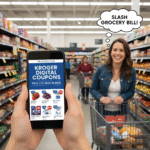
The Ultimate Guide to Mastering Kroger Digital Coupons: Slash Your Grocery Bill in 2025
 salehunter.net
 Let’s be real for a moment. That feeling of dread as you watch the grocery store checkout total climb higher and higher? We’ve all been there. With food prices seemingly on a perpetual upward trajectory, every dollar counts. What if I told you there’s a powerful, pocket-sized tool you might be overlooking that can consistently shave $20, $50, or even more off your weekly grocery bill? It’s not about extreme couponing with binders full of paper clippings. It’s about the simple, elegant, and incredibly effective world of Kroger digital coupons.
Whether you shop at Kroger, Ralphs, Fred Meyer, Smith’s, King Soopers, or any of the nearly two dozen banner stores under the Kroger family umbrella, you have access to a treasure trove of savings. This isn’t just about saving a quarter on a can of soup. We’re talking about high-value coupons, BOGO offers, and special promotions that can fundamentally change how you budget for food. Forget the scissors and the mess; it’s time to embrace the digital revolution and let your smartphone do the heavy lifting. This comprehensive guide will walk you through everything, from the absolute basics to pro-level strategies, turning you into a Kroger savings superstar.
What Exactly Are Kroger Digital Coupons, and Why Are They a Game-Changer?
Think of Kroger digital coupons as the modern, smarter evolution of the paper coupons our parents and grandparents used. Instead of physically clipping them from a newspaper insert, you “clip” them with a simple tap on your computer or smartphone. These digital offers are then electronically linked directly to your Kroger Plus Card (your loyalty card).
When you scan your card or enter your phone number at checkout, the system automatically recognizes the eligible items in your cart and deducts the coupon savings from your total. It’s a seamless, paperless, and incredibly convenient process. The beauty lies in its simplicity and accessibility. You can browse and add coupons while watching TV, waiting in line, or even as you walk through the store aisles. No more forgetting your coupons at home or fumbling through a stack of papers at the register.
It’s important to understand a key distinction: Kroger digital coupons primarily come in two flavors:

- Manufacturer Coupons: These are the most common type. They are offered by the brands themselves (think General Mills, Procter & Gamble, Kraft) but distributed through Kroger’s platform. The coupon will usually state “Manufacturer Coupon” on it.
- Store Coupons: These are coupons offered directly by Kroger or its affiliate stores. They might be for a specific Kroger brand product (like Simple Truth or Private Selection) or a general offer, like “$5 off your purchase of $50 or more.”
This distinction becomes crucial when we dive into the art of “stacking” savings, but for now, just know that Kroger’s digital platform is your one-stop shop for both types of discounts.
Getting Started: Your Step-by-Step Journey to Digital Savings
Ready to start saving? Getting set up is quick and painless. If you’re a complete beginner, follow these simple steps, and you’ll be clipping coupons in minutes.
- Create Your Digital Account: The first step is to create an account on Kroger.com or through the Kroger mobile app (available for both iOS and Android). This is your command center for all things savings.
- Link Your Shopper’s Card: During the setup process, you’ll be prompted to link your existing Kroger Plus Card. You can do this by entering the 12- or 13-digit number on the back of your physical card. If you don’t have a card, you can create a new virtual one during this process. This card is the key that unlocks all your clipped coupons at the register. Your phone number serves as your alternate ID, so make sure it’s correct!
- Find the Coupon Section: Once your account is set up, navigating to the savings is easy. On the website, look for a “Savings” or “Coupons” tab in the main menu. In the app, it’s usually a prominent icon at the bottom of the screen.
- Start Clipping!: Welcome to your personal savings headquarters! You’ll see hundreds of available coupons. You can sort them by category (Dairy, Frozen, etc.), popularity, value, or expiration date. You can also use the search bar to look for coupons for specific items on your shopping list. To “clip” a coupon, you simply tap the “Clip” button. That’s it! The coupon is now loaded to your card, waiting to be used.
- Shop and Save: Head to the store and shop as you normally would. When you get to the checkout, either scan the barcode from your app, have the cashier scan your physical card, or type in your phone number. You’ll see the digital coupon savings magically appear on the screen and your printed receipt, itemized for each discount you received.
Unlocking Maximum Savings: Pro-Level Strategies and Insider Tips
Okay, you’ve mastered the basics. Now it’s time to elevate your savings game from casual to expert. These are the strategies that separate the occasional saver from the shopper who consistently walks out with a shockingly low total.
The Legendary “Weekly Digital Deals” (Formerly 5X Coupons)
This is arguably the most powerful tool in the Kroger digital coupon arsenal. Each week, Kroger releases a special set of “Weekly Digital Deal” coupons. What makes them so special? You can use each one up to five times in a single transaction.
Let’s break that down. Say there’s a Weekly Digital Deal for $1.00 off a specific brand of cereal, and that cereal is on sale for $2.49. You can clip that single digital coupon, buy five boxes of that cereal in the same shopping trip, and the coupon will apply five times, giving you a total of $5.00 off. Your five boxes of cereal would cost just $1.49 each! This is how you stock up on pantry staples, snacks for the kids, and household items at rock-bottom prices.
Crucial Rule: The “up to five times” limit is for a single transaction. If you buy three boxes of cereal today, you cannot come back tomorrow and buy two more expecting the coupon to work again. You have to purchase all the items you want to use the coupon on at the same time. Always look for the purple “Weekly Digital Deal” tag in the app to identify these high-value offers.
Stacking and Combining Offers: The Art of the Deal
Coupon “stacking” is a term for using multiple discounts on a single item. Kroger’s policy can seem confusing, but it’s simple once you understand the core rule: You cannot stack two manufacturer coupons on one item.
Since most of Kroger’s digital coupons are manufacturer coupons, this means you generally cannot use a digital manufacturer coupon and a paper manufacturer coupon for the same product. The register will only accept the first one it recognizes.
However, where the magic happens is stacking a manufacturer coupon (digital or paper) with a Kroger store coupon. For example, Kroger might release a store coupon for “$2 off any Simple Truth Organic item.” If you also have a manufacturer coupon for “$1 off Simple Truth Organic Milk,” you could potentially use both on that single item. These opportunities are less common but incredibly valuable when they pop up.
The *real* power move is stacking your digital coupons with external cash-back apps. This is the modern couponer’s secret weapon. Here’s how it works:
- Link Your Loyalty Card: Apps like Ibotta, Fetch Rewards, and Checkout 51 often have offers for the same products you have Kroger coupons for. Link your Kroger account to these apps.
- Use a Coupon at Kroger: Buy an item using a Kroger digital coupon and pay the discounted price at the register.
- Get Cash Back: After your purchase, the cash-back app will see your digital receipt and give you money back for the same item. You’re essentially getting a double discount!
Kroger even has its own integrated Cash Back Rewards program. You can load these offers to your card just like coupons. After you purchase the item, the cash value is deposited into your Kroger account, which you can then transfer to PayPal or load onto your shopper’s card for your next trip.
Don’t Miss the “Best Customer Bonus” Offers
Kroger’s system is smart. It tracks your purchasing habits and generates personalized coupons just for you. These are often labeled “Best Customer Bonus” or “Just for You.” You’ll find these in their own section of the app or mixed in with the general offers. Because they’re tailored to what you already buy, they are often some of the most relevant and useful coupons available. Always check this section before you shop—you might find a high-value coupon for your favorite coffee or your go-to brand of yogurt.
Beyond Coupons: Leveraging the Full Power of the Kroger App
The Kroger app is more than just a coupon clipper; it’s an indispensable shopping companion designed to save you time and money.
- Smart Shopping List: As you build your shopping list within the app, it will automatically flag any items that have a matching digital coupon available. This ensures you never miss a chance to save on something you were already planning to buy.
- In-Store Scanner: Ever find yourself in an aisle wondering if there’s a coupon for a specific product? Use the app’s built-in scanner. Just scan the product’s barcode, and the app will instantly tell you if there are any available digital coupons or cash-back offers.
- Manage Fuel Points: Every dollar you spend earns you Fuel Points, which translate into cents off per gallon at Kroger Fuel Centers or participating Shell stations. The app provides a real-time tracker of your points, showing you how close you are to the next discount level (e.g., 10¢, 20¢, or even $1 off per gallon). Remember, the money you save with coupons still counts toward your total spending for Fuel Points, so it’s a double win!
- Browse the Weekly Ad: The app contains the full weekly ad for your specific store. You can easily see what’s on sale and clip relevant coupons directly from the ad pages.
Troubleshooting: What to Do When a Coupon Doesn’t Work
It’s frustrating when you get to the register and a coupon you clipped doesn’t apply. Ninety-nine percent of the time, it’s due to one of these common reasons:
- Wrong Product: Many coupons are for a very specific size, flavor, or variety. If the coupon is for an 18 oz. “Family Size” box of crackers and you picked up the 12 oz. “Original” box, it won’t work. Double-check the coupon details.
- Already Used: This is the most common issue with the Weekly Digital Deals. If you used it on three items last Tuesday, it won’t work on two more items today. Remember: up to five times, but all in one single go.
- Coupon Expired: Digital coupons have expiration dates, just like paper ones. Always give them a quick glance before you shop.
- A Different Coupon Applied: Sometimes the system will apply a lower-value coupon if multiple offers are available for a single item. While rare, it can happen.
If you’re certain you met all the coupon’s requirements, don’t hesitate to politely ask the cashier or visit the customer service desk. They can often review your account and manually apply the discount if there was a system error.
The Final Word: A Few Minutes for Major Savings
Embracing Kroger’s digital coupon program is one of the easiest and most effective ways to combat rising grocery costs. It’s a system designed for the modern shopper: convenient, efficient, and powerful. By investing just five to ten minutes before each shopping trip to browse the app and clip relevant offers, you are putting real money back into your pocket.
Start by focusing on the Weekly Digital Deals and stacking them with cash-back apps. Pay attention to your personalized “Best Customer Bonus” offers. Use the app’s built-in tools to make your shopping trips smarter and more efficient. Before you know it, you’ll be one of those savvy shoppers who consistently leaves the store with a full cart and a surprisingly small bill, wondering why you didn’t start sooner.


