 salehunter.net
 The Secret Apple Teacher Discount: A Deep Dive into Education Savings
There is a specific thrill in finding a loophole that legally saves you hundreds of dollars on premium tech. For educators, that thrill isn’t just a fleeting moment—it’s a permanent perk of the job, yet one that remains surprisingly underutilized. If you have ever eyed a MacBook Pro or an iPad Air for your classroom (or, let’s be honest, for your personal Netflix binges), you might be sitting on a golden ticket without realizing it.
The “Apple Teacher Discount” is somewhat of a misnomer. It is not just for teachers, it is not a one-time coupon, and it isn’t limited to just a few dollars off. It is a sweeping education pricing tier that can shave significant chunks off the retail price of Apple’s most coveted hardware. But navigating the fine print, understanding exactly who qualifies, and knowing when to buy to maximize those savings is an art form in itself.
This guide dives deep into the mechanics of the Apple Education Store. We are going to bypass the surface-level advice and look at the math, the hidden eligibility clauses that include people who aren’t even teachers, and the strategic timing that can double your value. Whether you are a kindergarten teacher, a university professor, or a homeschool parent, this is your roadmap to never paying full price at the Apple Store again.
Who Actually Qualifies? (It’s More People Than You Think)
One of the biggest misconceptions about the Apple Education Store is that you need a faculty ID from a university to get through the digital door. The reality is far more inclusive, and Apple has deliberately cast a wide net to support the entire educational ecosystem.
K-12 Employees: The Wide Umbrella
If you work at a K-12 school in the United States, you are likely eligible. Period. This doesn’t just mean the person standing at the chalkboard. It includes:
- Classroom Teachers: The obvious category.
- Staff and Administrators: Principals, vice-principals, and office administrators.
- Support Staff: Counselors, school nurses, and even custodial or cafeteria staff in many direct-employment scenarios often qualify under the “any employee” clause of public or private K-12 institutions.
- School Board Members: Yes, if you serve on the local school board (elected or appointed), you are eligible for the same discounts as the superintendent.
- PTA/PTO Executives: This is the secret weapon. If you are an elected officer of your school’s Parent-Teacher Association or Organization, Apple classifies you as eligible.
Higher Education: Faculty, Staff, and Students
The rules shift slightly for colleges and universities, expanding to include the students themselves:
- Faculty and Staff: Professors, adjuncts, campus admin, and support staff.
- Students: Current college students and those accepted into college (incoming freshmen) are eligible.
- Parents: This is a crucial distinction. Parents buying for their college student are eligible. If you are a parent of a K-12 student, you generally cannot buy a Mac for your 5th grader using the discount, but if your child is heading to a university, you can buy it on their behalf.
The Homeschool Loophole
Homeschool teachers are explicitly recognized in the US. You don’t need a school district badge. Apple usually requires proof of your homeschool status, which can vary by state but often includes an ID card from a homeschool association or a copy of the intent-to-homeschool letter filed with your state.
The Numbers: What Are the Real Savings?
Let’s get down to the brass tacks. Apple doesn’t offer a flat percentage discount (like “10% off everything”). Instead, they have set “Education Pricing” for specific items. Generally, you can expect to save between $50 and $200 on hardware, with some variability depending on the model.
MacBook Air and MacBook Pro
The laptops usually see the biggest price cuts. For a standard MacBook Air (M2 or M3 chip), the discount is typically around $100 off the retail sticker price. That might sound modest, but it often covers the sales tax or a significant portion of an upgrade (like doubling your RAM).
For the more powerful MacBook Pro models (14-inch and 16-inch), the savings effectively scale up. You might see discounts ranging from $150 to $200 off. This is because Apple wants to lower the barrier of entry for these “Pro” machines in creative fields like graphic design and film schools.
iPad Air and iPad Pro
Tablets have tighter margins, so the discounts are slimmer. On an iPad Air, you might save around $50. On the high-end iPad Pro models, that can stretch to $100. While $50 doesn’t scream “doorbuster deal,” it is essentially free money if you were going to buy the device anyway. Plus, the education pricing often applies to the accessories when bought with the device, shaving a few dollars off the Apple Pencil or Magic Keyboard.
The “Mac mini” Secret
The Mac mini is often the budget king of the Mac lineup. The education discount usually knocks roughly $50 to $100 off the base price. Since the starting price is already low (often around $599 retail), getting it for roughly $499 makes it arguably the best value computer on the market for a classroom or home office.
AppleCare+ (Don’t Skip This)
This is where the math gets really interesting. Apple often discounts AppleCare+ protection plans by 20% for education customers. On a MacBook Pro, where accidental damage coverage is vital, saving 20% on the protection plan puts a significant amount of cash back in your pocket. Many buyers forget to check this and pay full price for insurance on a discounted laptop.
The “Pro Apps Bundle”: The Best Kept Secret
If you teach creative arts, music, or video production, or if you are a student in those fields, the Pro Apps Bundle for Education is arguably the single best deal Apple offers—better than any hardware discount.
This bundle includes:
- Final Cut Pro (Video Editing)
- Logic Pro (Music Production)
- Motion (Graphics)
- Compressor (Media Encoding)
- MainStage (Live Performance)
The Math: If you bought these five apps separately on the Mac App Store, you would pay over $600.
The Education Price: The entire bundle costs just $199.
That is a massive 65%+ discount. Even if you only want Final Cut Pro (which retails for $299), buying the bundle saves you $100 and gives you four other professional-grade apps for free. This is a digital product, so there is no shipping, and it’s linked to your Apple ID.
Strategic Timing: The “Back to School” Promo
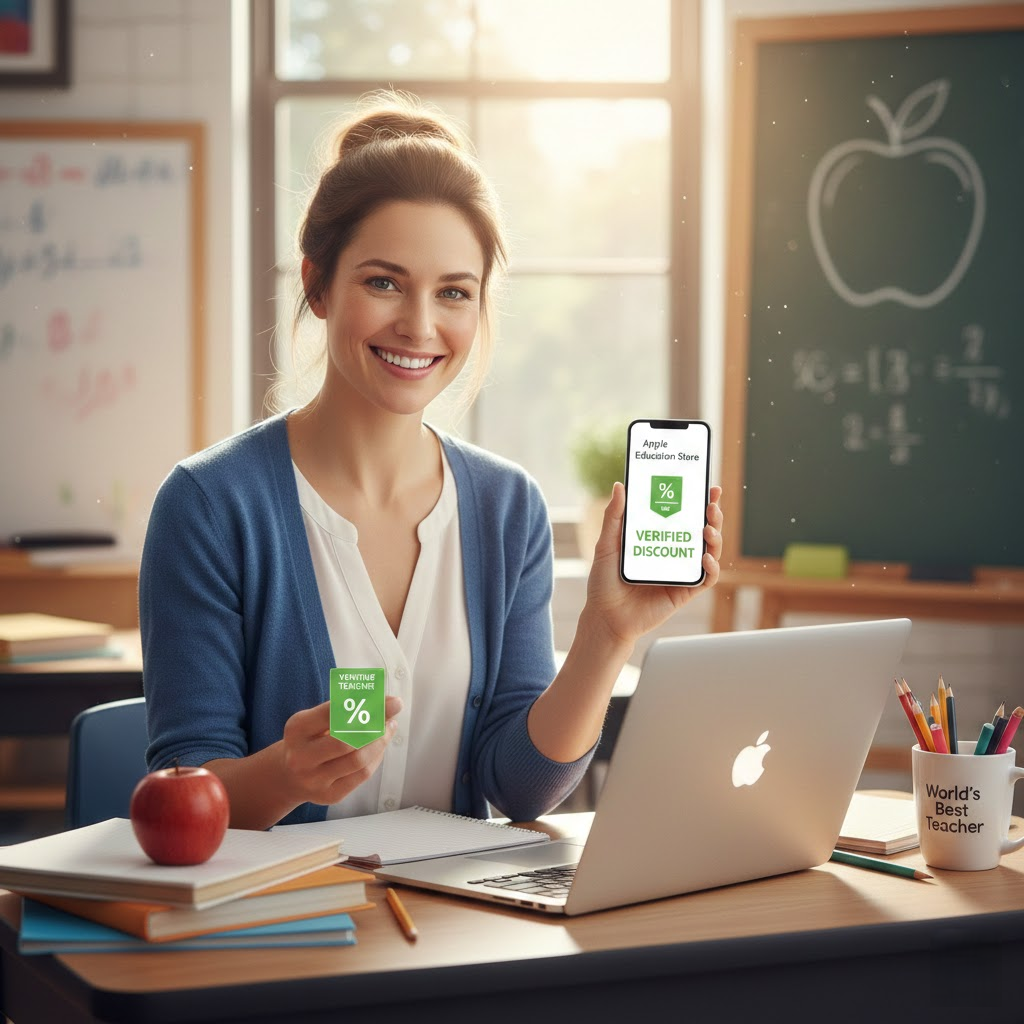
Here is the golden rule of buying Apple products for education: If you can wait until summer, wait until summer.
Every year, typically running from June through September, Apple launches its “Back to School” promotion in the United States. During this window, the standard education discounts we discussed above (the $100 off MacBooks, etc.) remain in effect, but Apple sweetens the pot by bundling a free gift.
The Evolution of the Gift
In past years, this gift was a free pair of Beats headphones or basic AirPods. Recently, Apple has shifted toward Apple Gift Cards. For example, in the 2024 season, buying a Mac came with a $150 gift card, while buying an iPad came with a $100 gift card.
Why this matters:
Let’s say you buy a MacBook Air for $899 (discounted from $999). During the Back to School event, you pay $899, but you get a $150 gift card. You can immediately turn around and use that gift card to buy AppleCare+, a Magic Mouse, or software. Effectively, your net cost drops to $749. That is a massive difference from the standard retail price.
Pro Tip: You generally cannot use the gift card on the same transaction that generates it. You have to buy the laptop first, get the card, and then make a second purchase.
How to Actually Buy: Online vs. In-Store
Navigating the purchase process can feel intimidating because people assume there is a rigorous vetting process. In the US, it is surprisingly frictionless.
The Honor System (Online)
When you shop via the Apple Store for Education online in the US, there is often no immediate verification step. You don’t usually have to upload a pay stub or scan an ID card to add items to your cart. You simply select your school state and institution type, and the prices automatically adjust.
However, this is technically an honor system. Apple reserves the right to audit your purchase. They may email you later asking for proof of employment or enrollment. If you cannot provide it, they have the right to charge your credit card the difference between the education price and the retail price. While audits are rare for small purchases, it’s best to be honest.
Note on UNiDAYS: In some other countries (and increasingly for Apple Music student plans in the US), Apple uses a third-party service called UNiDAYS to verify status. If you are a college student, having a verified UNiDAYS account is handy as it unlocks discounts not just at Apple, but at brands like Nike and ASOS. It’s worth registering for UNiDAYS just to have your digital “student ID” ready.
In-Store Experience
Walking into a physical Apple Store is different. You simply tell the specialist, “I am a teacher,” or “I am a college student.” They will likely ask to see some form of ID.
Acceptable Proof usually includes:
– A school ID badge (Faculty or Student).
– A letter of acceptance (for incoming college freshman).
– A pay stub (with sensitive info redacted) showing the school district as the payer.
– For Homeschoolers: A state membership card or affidavit.
Beyond the Apple Store: Third-Party Retailers & Promo Codes
While Apple direct offers a clean experience, they are not always the cheapest option. Authorized retailers often compete aggressively for education dollars. This is where “Promo Codes” and “Student Deals” come into play.
Best Buy Education
Best Buy has a robust student deal program. Unlike Apple, they often require you to sign up for a “My Best Buy” account and check a box for student deals. Once verified, exclusive prices appear.
Why choose Best Buy?
Sometimes Best Buy’s baseline sale price is lower than Apple’s education price. For example, if the MacBook Air is $999 and Apple sells it to teachers for $899, Best Buy might run a “4th of July Flash Sale” dropping it to $849 for everyone. Always compare.
Promo Code Awareness:
While you won’t find a generic code like “TEACHER20” that works at the Apple Store, retailers like B&H Photo Video or Adorama sometimes have coupon codes like APINSIDER (often found on tech blogs) that can bundle AppleCare or accessories for free. Always do a quick search for “MacBook Pro B&H promo code” before checking out at the official Apple site.
Amazon’s “Hidden” Discounts
Amazon doesn’t have a specific “Teacher ID” verify button for Apple products, but their algorithm matches prices. If Apple Education pricing is $899, Amazon will often list the product at $899 or even $890 to capture the sale. The benefit here is Prime shipping speeds, which often beat Apple’s standard delivery.
The “Certified Refurbished” Alternative
If you want to maximize value and don’t mind a generic white box, the Apple Certified Refurbished Store is the true rival to the Education Store.
Refurbished products are not “used” in the traditional sense. They get a new battery, a new outer shell, all original accessories, and the standard one-year Apple warranty. They are virtually indistinguishable from new.
The Comparison:
– New MacBook Air (Edu Price): $899
– Refurbished MacBook Air (Refurb Store): Often $849 or less.
The catch? You cannot stack the Education Discount on top of the Refurbished price. You have to choose one. Usually, the Refurbished price is slightly lower than the Education price for new items. However, during the “Back to School” promo (when you get the $150 gift card), the New Education Price often wins out in total value. Do the math each time.
Frequently Asked Questions (FAQ)
Is there a limit on how many items I can buy?
Yes. Apple prevents resale abuse by capping purchases per academic year. Typically, the limits are:
– 1 Desktop (iMac, Mac mini, Mac Studio) per year.
– 1 Laptop (MacBook Air/Pro) per year.
– 2 iPads per year.
– 2 Accessories per year.
Does the discount apply to iPhones?
Generally, no. This is the heartbreak of the program. Apple positions the iPhone as a consumer device, not a strictly educational tool. Occasionally, carrier deals or specific bundle offers might appear, but there is no standard “Teacher Price” for an iPhone 15 or 16.
Can I use the discount for my family?
Technically, the products are supposed to be for your own use or for your education. However, if you are a teacher buying a MacBook for your home, and your spouse uses it, Apple isn’t going to knock on your door. Buying products specifically to resell them to friends, however, is a violation of the terms and can get you banned from the store.
Do substitute teachers qualify?
This is a gray area but usually leans towards “Yes.” If you are paid directly by the district and have a pay stub or a badge, you qualify. If you are a contractor working through a third-party temp agency, it might be harder to prove in-store, but the online store typically accepts the school affiliation.
The Final Verdict: Is It Worth It?
The Apple Teacher Discount is one of the few perks in the education sector that requires very little effort to claim. It is not a rebate you have to mail in; it is an upfront price reduction. For a teacher earning a modest salary, saving $100 to $200 on a laptop is the difference between getting the base model and getting a machine with enough memory to last five years instead of three.
However, blind loyalty to the Education Store can cost you. Always check the Refurbished section first. Always peek at Best Buy’s weekly ad. And if you can hold off your purchase until June, the Back to School gift card promotion effectively turns a good deal into an unbeatable one.
For educators who pour their own money into classroom supplies and spend their Sunday nights grading papers, this discount is a small but well-deserved nod of appreciation. Make sure you take it.